
Get evaluated
A report card for every player, every season.
Coaches score players on the skills your club cares about, such as stick skills, game IQ and effort, and add a note for each one. Run the same evaluation at preseason, mid-season and end of season, and players see exactly how much they've improved and what to work on next.
How it works
The loop, in order
- 01
Build a template
Create a scoring rubric with up to 30 criteria. Each criterion gets a description and a scoring range (for example 0–10). Templates move from draft to active to archived.
- 02
Assign it
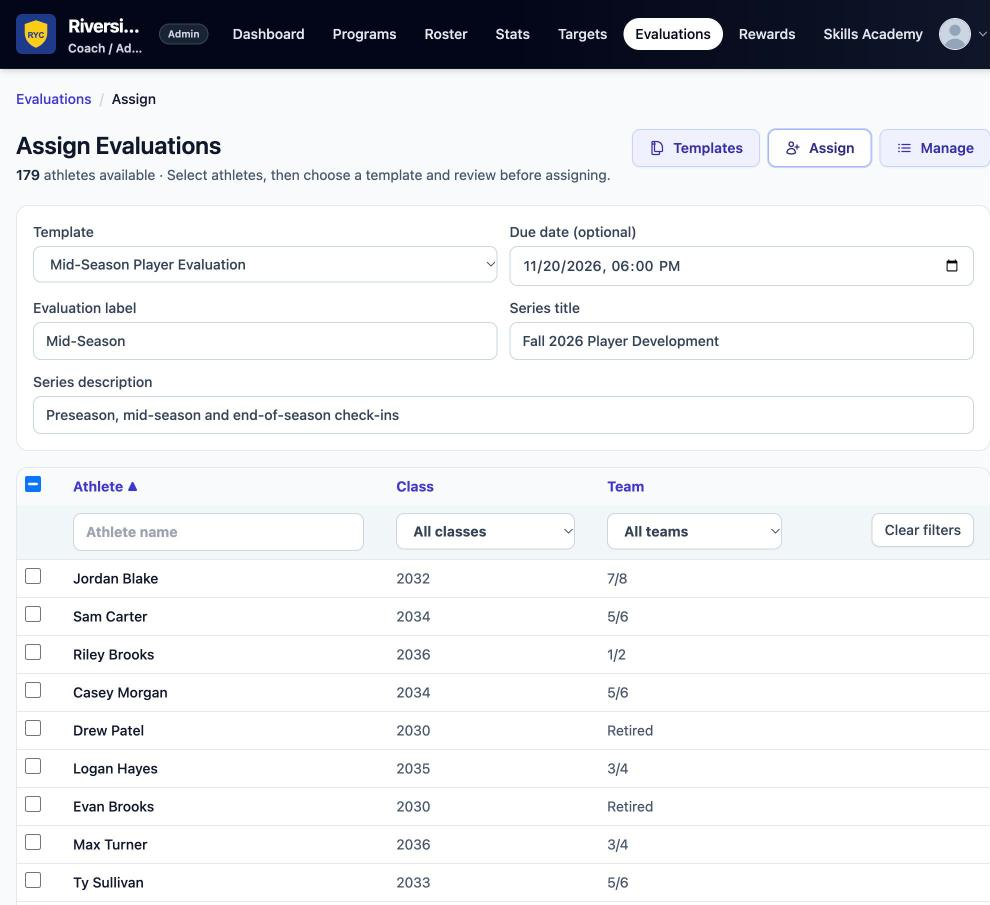
Pick players by name, class year or team. Set a due date, a label (Preseason, Mid-Season, End of Season) and a series (for example “Fall 2026 Development”) so repeat evaluations link together.
- 03
Score and comment
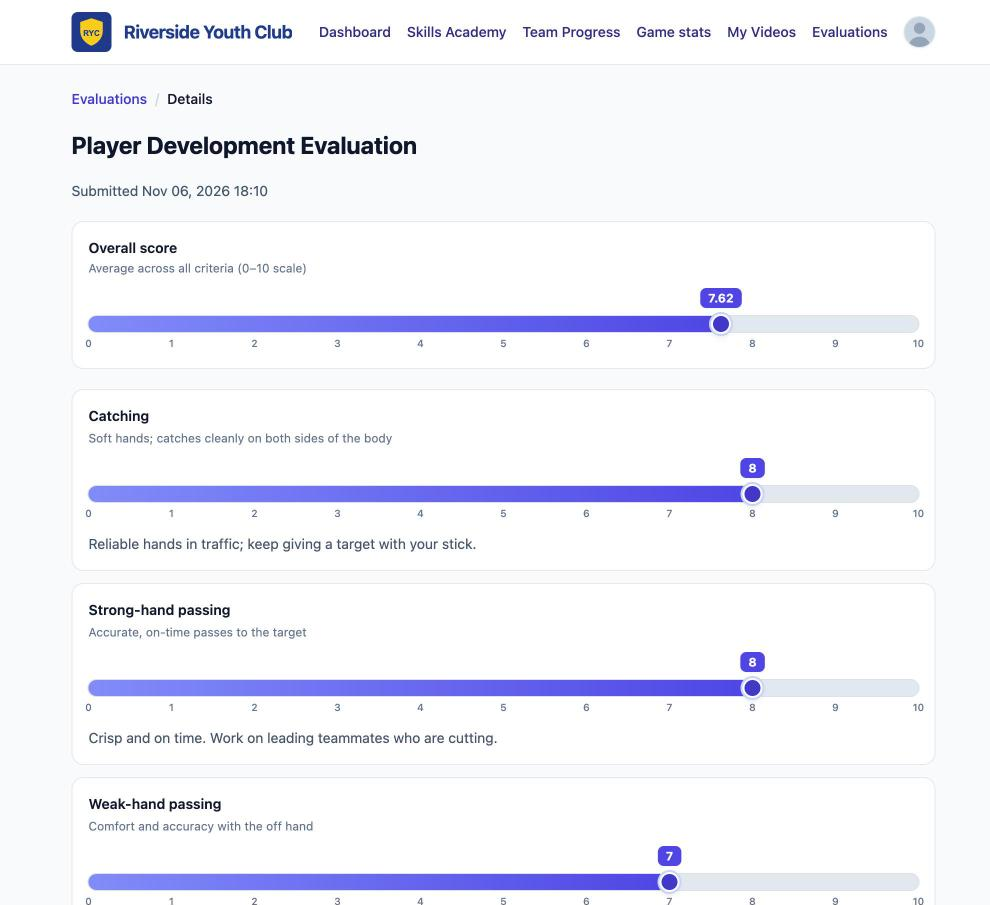
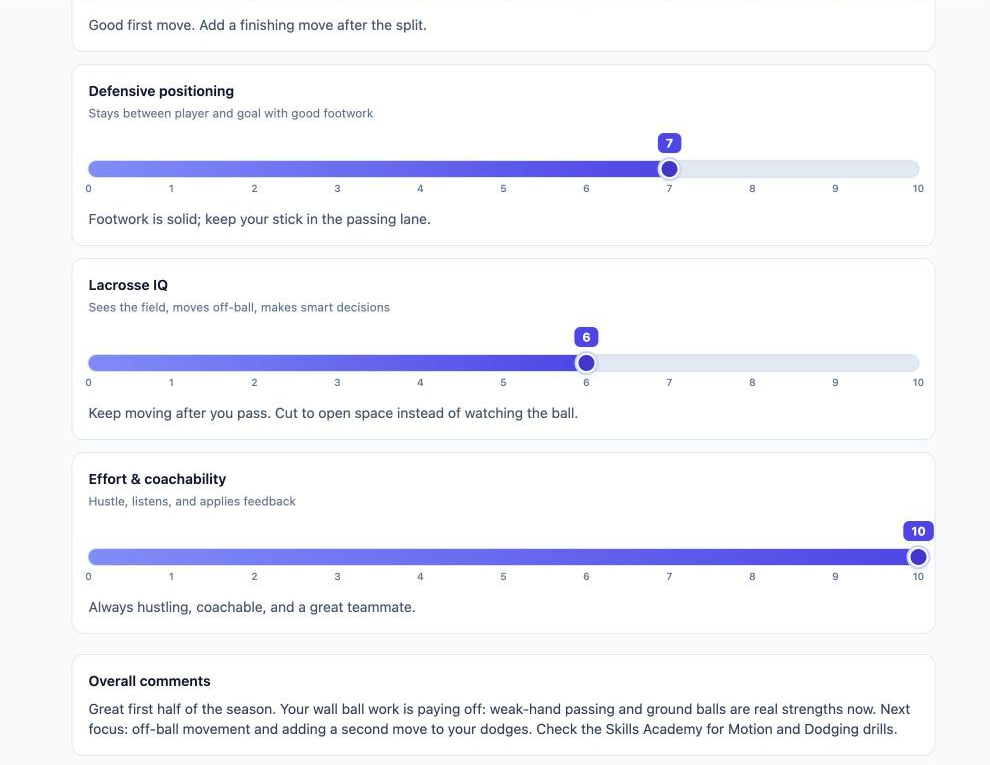
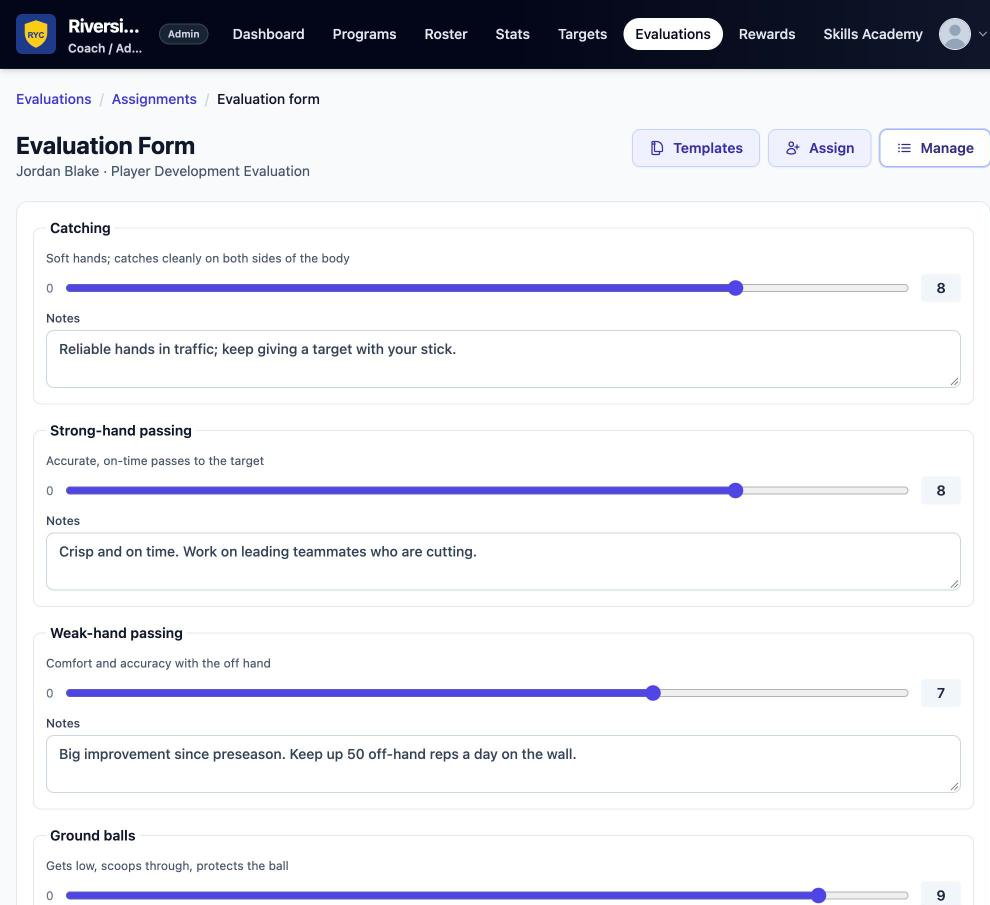
Coaches score each criterion with a slider and can add a note for each one. They add overall comments for the player and internal notes that only coaches see. They can save a draft and submit when ready.
- 04
Players see their report card and their progress
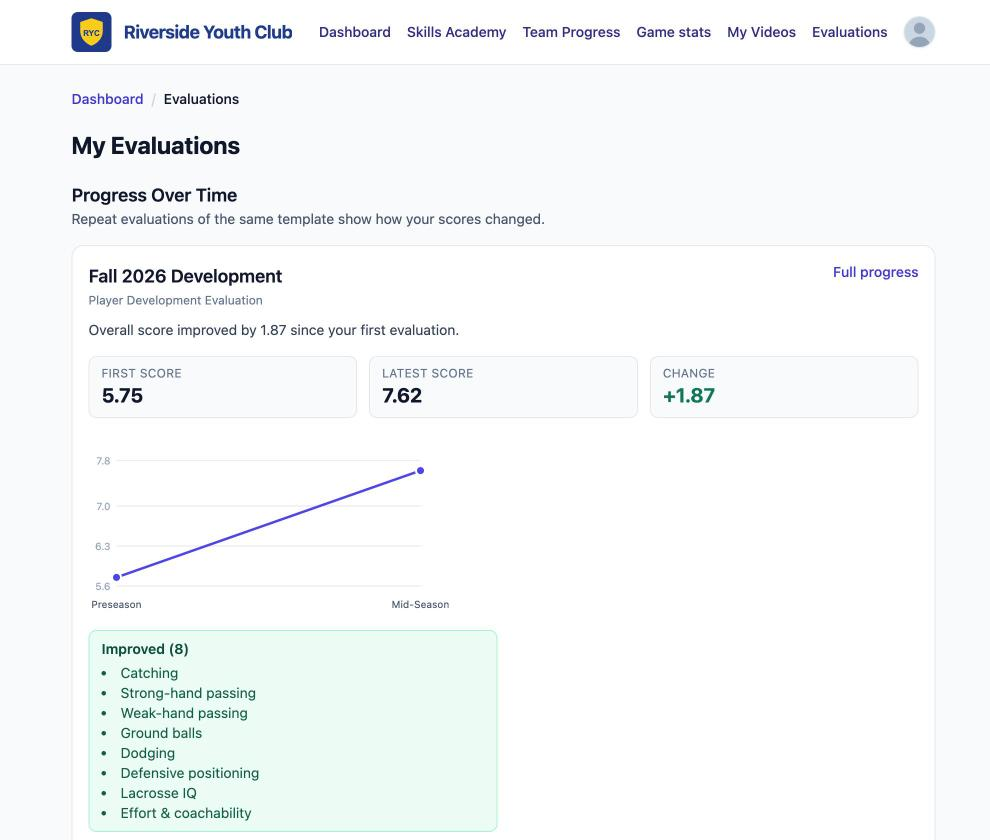
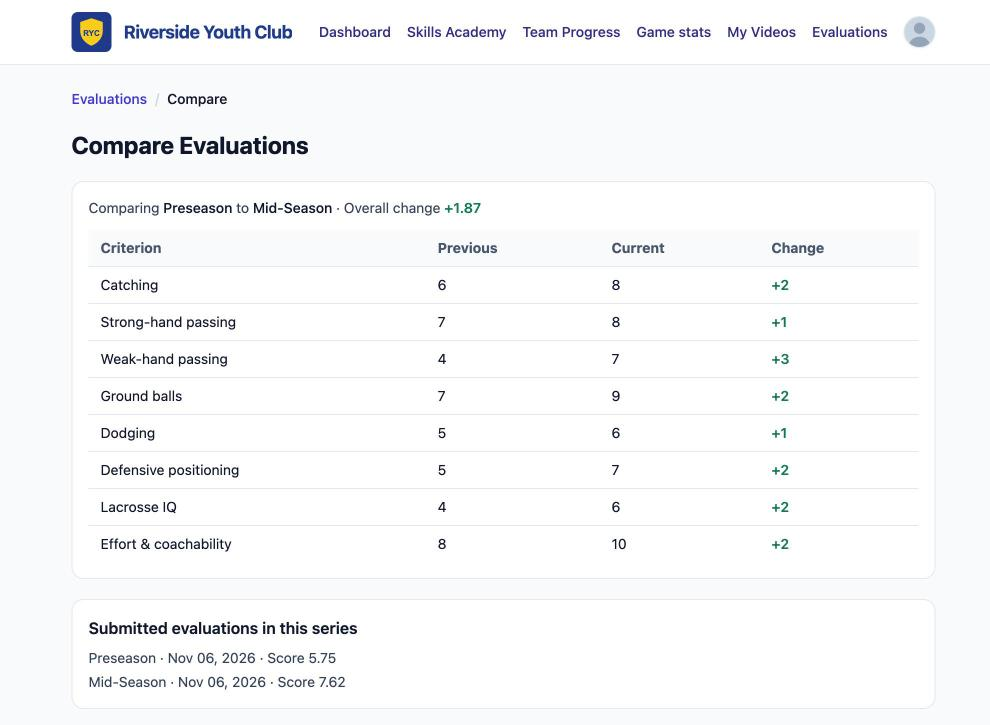
Players see each score with the coach's notes. Once they've had two or more evaluations in a series, they get a progress view: first score, latest score and change, a trend chart, a list of improved skills, and a skill-by-skill comparison.
What people see
What players, coaches and parents see
Players and families see the same development record. Coaches and directors get the tools to run it.
Players and families
Coaches and directors
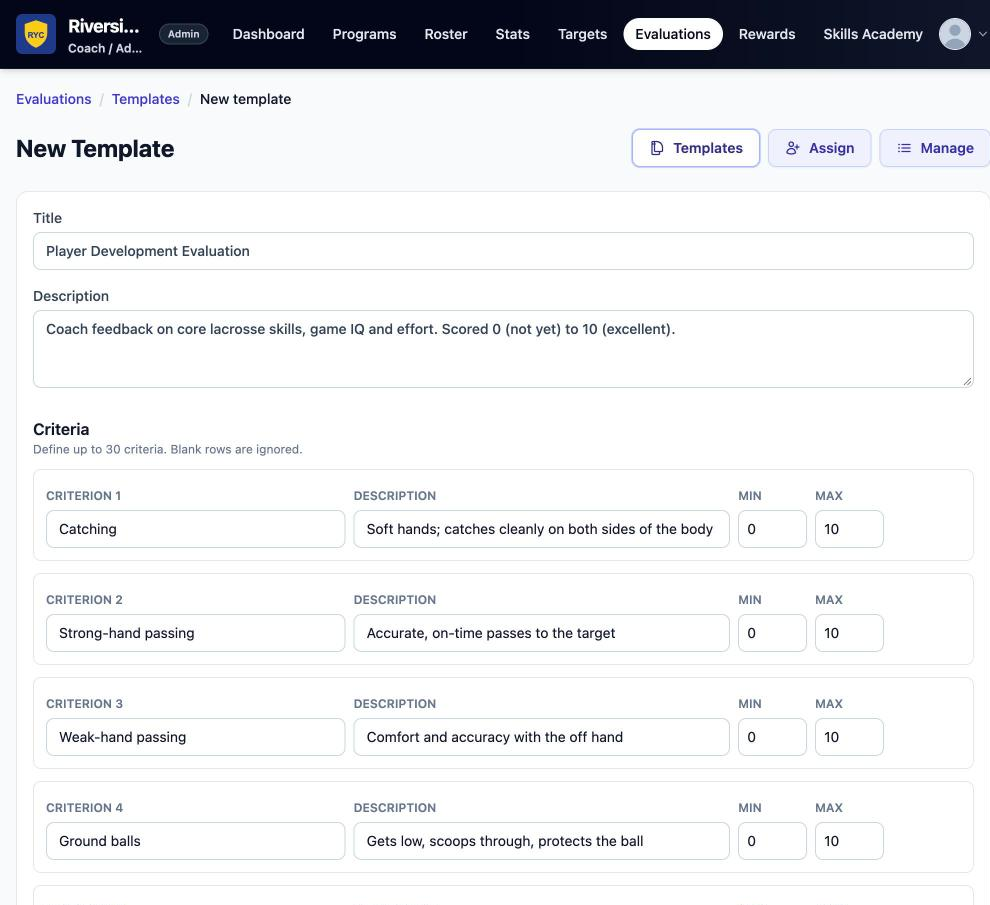
- Custom rubrics built for your club: up to 30 criteria, each with its own description and scoring range
- Assign by team or class year, with due dates and repeatable series (preseason → mid-season → end of season)
- Per-criterion coach notes, overall comments for the player, and internal coach-only notes
- Progress over time for players: score change, trend chart, improved skills list and side-by-side comparison
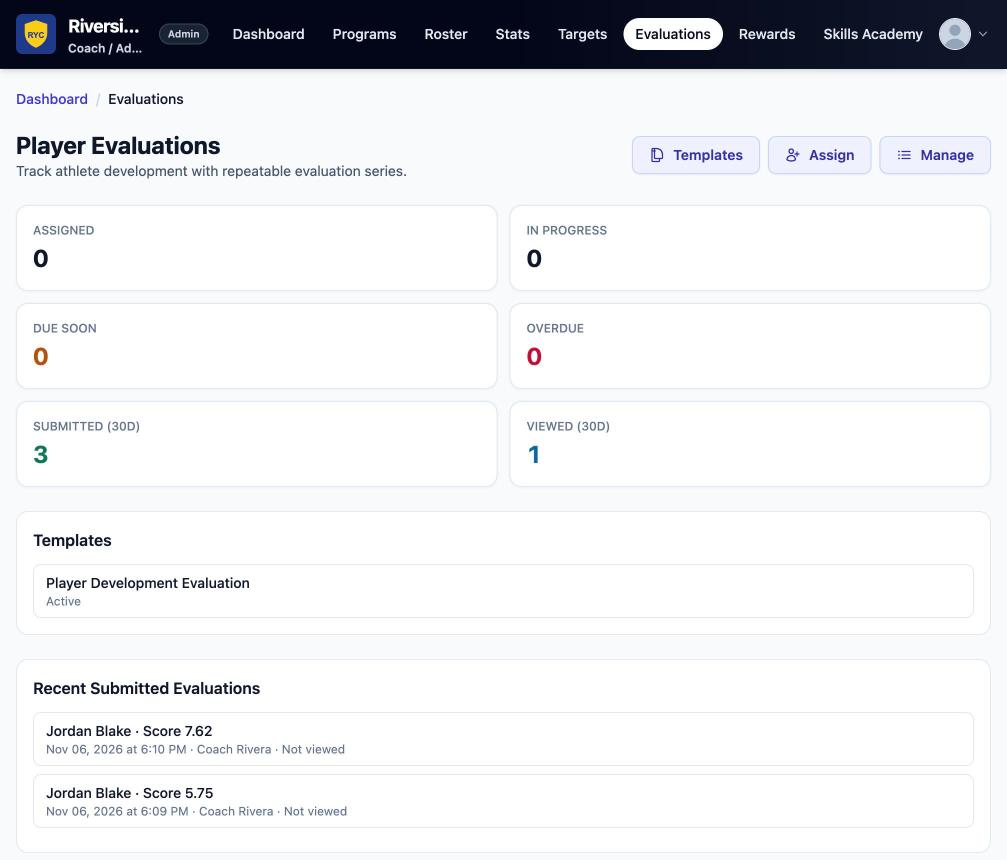
- Director dashboard: assigned, in progress, due soon, overdue, submitted, and whether the player has viewed it
- Feedback can point players to specific Skills Academy drills and wall ball tiers
“Overall score improved by 1.87 since your first evaluation.”
Live copy from the player progress screen. Coaches recommend drills in comments — the platform does not auto-assign them.
FAQ
Player Evaluations questions
Clubs create their own templates. Position-specific or age-specific rubrics are not built in — you define the criteria your program actually coaches.
No. Players and families see the report card and progress in the same player experience. There is not a separate parent portal.
No. Coaches recommend Skills Academy drills and challenge tiers in their comments. The platform does not auto-assign drills from a score.
Yes. The director dashboard tracks assigned, in progress, due soon, overdue, submitted, and whether the player has viewed the report card.
For clubs, programs & organizations
Bring player development to your whole club.
AIthl33t gives clubs one place to develop players: at-home skill challenges, in-season evaluations, and official game stats and Player Cards.